Leafy Corner Controls
Camera, watering mode, and platform bindings from the demo.
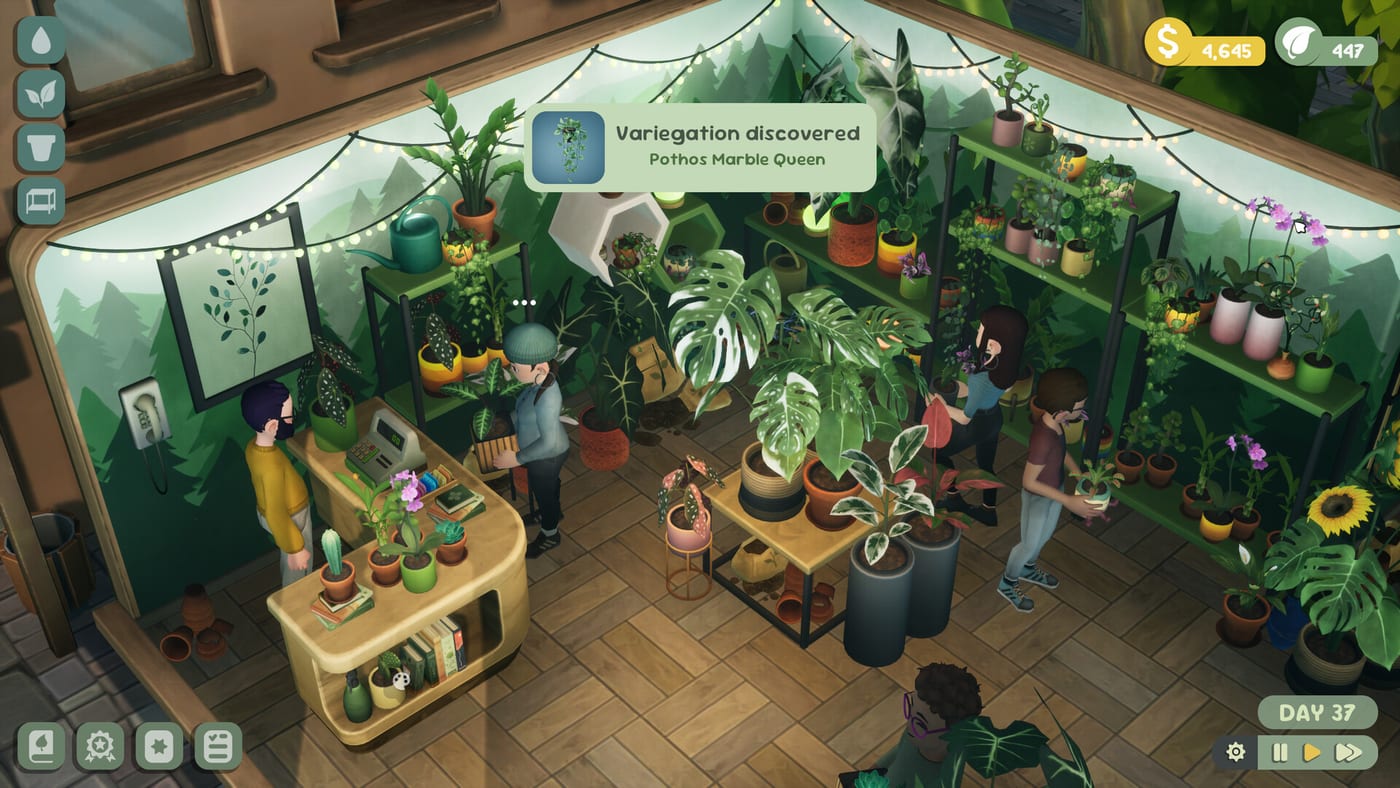
Controls stay out of your way
Leafy Corner is a cozy plant shop sim, so Fireline Games keeps input straightforward. Demo and playtest builds emphasize keyboard and mouse on PC with controller support on Switch, PlayStation 5, Xbox, and Steam Deck Verified launches alongside the July 30, 2026 release. You spend more time reading droplet icons and task lists than memorizing combos—still, efficient camera control prevents missed whites during watering.
Use this page as a reference card, then apply habits in Getting Started. For accessibility toggles see Game Settings. Controls never gate progression the way combat combos might in other genres; they exist so you can inspect stock, serve browsers, and claim Plant Tokens without fighting the camera.
PC keyboard and mouse (demo defaults)
WASD — Pan the shop camera across the floor. Hold a direction while watering to sweep rows without re-pressing movement keys.
GFV rotate — Demo notes reference GFV for rotating the view (typically middle mouse or bound keys—confirm in Settings at launch). Rotate before you enter watering mode so droplets on side-facing pots stay readable.
Z / X — Zoom in and out to inspect droplet icons on back shelves. Zoom in when checking variegations near windows where glare makes small icons harder to read.
C — Toggle watering mode. White droplets mean water; blue full droplets mean stop to avoid rot. Exiting watering mode after a pass prevents accidental clicks on already-blue pots.
Interaction keys — Confirm watering, talk to customers, and open UI panels with context prompts shown on screen. Prompts appear near cursor or highlighted objects—follow them before opening the compendium mid-conversation.
Rebind options may expand at launch—check patch notes on Release. Pre-release builds sometimes ship placeholder labels; trust on-screen prompts over wiki tables if they disagree after a patch.
Gamepad and console
Switch, PS5, and Xbox versions map the same actions to sticks and face buttons: move camera, toggle watering, interact with customers for How to Help Customers scenarios. Exact labels ship in platform manuals; logic mirrors PC.
Console players should map watering toggle to a button you can reach without moving thumbs off the camera stick—demo sessions show that drift during long watering routes causes missed whites on far shelves. Right-stick camera plus left-stick movement (if split) feels natural once you practice the loop from How to Water Plants.
Steam Deck Verified
Steam lists Leafy Corner as Deck Verified for Windows, macOS, and Deck PC launch. Expect touch-friendly UI scaling and default pad-friendly watering toggles. Performance targets cozy visuals—not competitive framerates—see System Requirements.
Handheld play suits the demo’s ~30 minute early clear. Install to internal storage for faster compendium loads when hopping between watering and decor tabs from Pots and Furniture. If droplets feel small on Deck, zoom with Z/X equivalents before toggling watering mode.
UI navigation
Task list — Tracks objectives paying Plant Tokens. Open it after every watering pass so finished entries do not sit unclaimed.
Compendium — Buy plants and shop decor. Separate tabs for species vs furniture—mis-clicks waste tokens when you meant to unlock stock from How to Unlock Plants.
Plant info — Growth days, watering needs, size, pet-safe flags on the Plants hub topics. Open panels while customers wait so trait answers stay accurate.
Reputation meter — Gates orders (~level 3 demo) and Shop Expansion. Glance at it when task list slows to decide whether to focus on decor or customer prep.
Camera tips for larger shops
After expansion, zoom before watering back rows. Rotate 180 degrees at day start to catch hidden whites behind tall furniture. Pair with trait zones from Pet-Safe Plants so you know which shelf to inspect first.
Build a clockwise or counter-clockwise route and stick to it—consistency beats speed when your shop grows beyond the demo’s nine plant types. Split expanded floors into zones (front sales, back propagation, window display) and complete one zone before rotating to the next.
Troubleshooting common input issues
Missed thirsty pots — Usually camera angle, not broken controls. Zoom, rotate, walk the route again before blaming bindings.
Accidental overwatering — Stay in watering mode too long after blues appear. Toggle C off, scan for stragglers, re-enter mode only for whites.
Customer prompt blocked — Decor or camera clip can hide interaction bubbles. Rotate GFV and step closer before assuming a bug.
Deck stick drift — Dead-zone settings in Steam Input help; recalibrate if pans creep during idle moments.
Pre-release vs launch expectations
Demo and playtest builds may differ slightly from July 30, 2026 retail on rebind menus and UI scale sliders. Fireline has not marketed frame-perfect combo inputs—expect quality-of-life patches rather than control overhauls. Console demos may lag Steam; practice PC demo bindings first via Demo if you plan to buy on Switch or PlayStation.
Accessibility expectations
Fireline has not marketed hardcore inputs; watch launch notes for rebinds and UI scale. Report blocking issues via official channels linked from Platforms and Price. Cozy sim fans who need larger droplet icons benefit from zoom plus eventual UI scale options—pair with Review expectations that this is not a precision action title.
Related pages
- Guides hub — gameplay loops using these controls
- Demo — practice bindings free
- Review — cozy input scope
- Tools — offline trait matcher (no controls needed)
Frequently Asked Questions
Quick answers for Leafy Corner players.
What key toggles watering mode?
C on keyboard in the demo. Console uses equivalent face buttons—check in-game prompts.
How do I rotate the camera?
GFV in demo notes, often middle mouse on PC. Use Z/X to zoom afterward.
Is Leafy Corner Steam Deck Verified?
Yes on Steam alongside Windows and macOS. See [Platforms and Price](/release/platforms-and-price/).
Where do controls matter most?
Daily [watering routes](/guides/how-to-water-plants/) and customer interactions on the shop floor.