Leafy Corner System Requirements
Hardware expectations for cozy shop sim performance on PC and Deck.
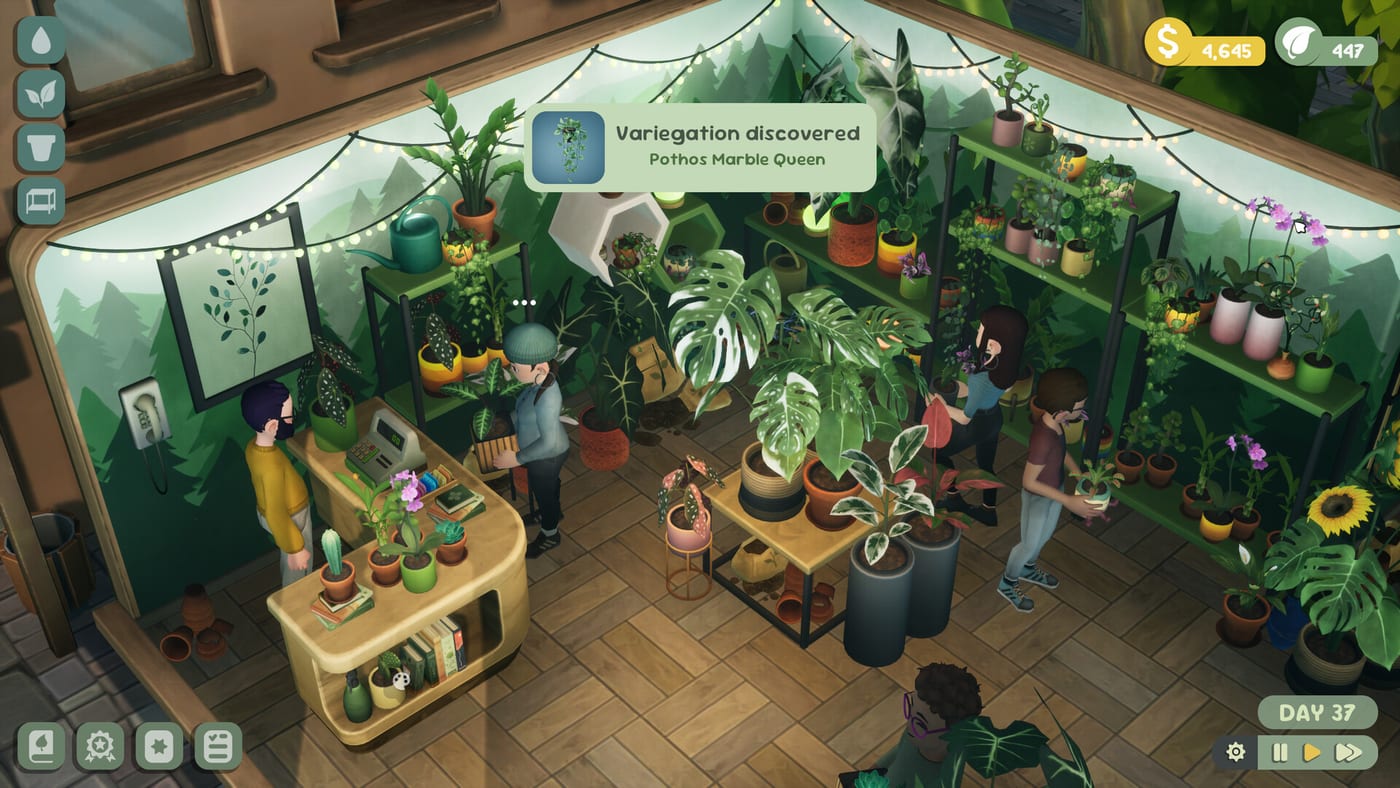
Built for cozy hardware, not ray-traced jungles
Leafy Corner targets accessible machines because Fireline Games focuses on calm plant care—not cinematic AAA foliage simulation. Official Steam specs may update closer to July 30, 2026 launch; this page summarizes expected PC requirements for Windows and macOS clients, Steam Deck Verified play, and notes for Switch, PS5, and Xbox buyers who do not tune graphics sliders.
Pair specs with Platforms and Price and the free Demo to stress-test your device before buying at $9.99.
Expected Windows minimum (indicative)
OS — Windows 10 64-bit or newer.
CPU — Dual-core processor comparable to Intel Core i3 / AMD equivalent.
RAM — 4 GB minimum; 8 GB recommended for comfortable multitasking.
GPU — Integrated graphics capable of 1080p low settings; discrete GPU recommended for higher shop detail.
Storage — ~2–4 GB available space (estimate until final build size confirmed).
Input — Keyboard/mouse; controller optional per Controls.
Minimum specs should run the demo watering loop smoothly—if the demo stutters during camera pans, upgrade headroom before Shop Expansion layouts.
Expected Windows recommended
CPU — Quad-core modern chip.
RAM — 8 GB or more.
GPU — GTX 1050 class or better for smooth camera pans with full Shop Expansion layouts.
Display — 1080p; ultrawide not required.
Recommended tier matters most when your shop fills with 100+ species displays and furniture props—not during the nine-plant demo slice.
macOS
Apple Silicon and recent Intel Macs meeting Steam macOS requirements should run Leafy Corner at cozy settings. Verify Rosetta needs only if Fireline ships Intel-only builds—watch launch notes on Release.
Mac players get the same gameplay scope as Windows—watering, tokens, reputation—without separate spec tuning in most cases.
Steam Deck Verified
Verified status implies readable UI for droplet icons, remappable controls, and stable framerate in demo scenes. Install to internal storage for fastest loads when hopping between watering and compendium menus.
Deck players should still read Getting Started—session length matches handheld play (~30 minute demo clears). If droplets feel small, zoom before watering mode per Controls.
Consoles and Switch
Switch, PS5, and Xbox versions optimize internally—no manual spec sheet required. Expect stable performance for shop sizes shown in trailers, not unlimited prop spam.
Console buyers trade graphics sliders for plug-and-play stability—progression rules match PC per Platforms and Price.
Performance tips
Close background apps on low-RAM PCs before long shop sessions.
Zoom camera instead of maxing render scale if added at launch.
Expand shop floor only when reputation ready—more pots stress CPU slightly.
Run the Demo first on questionable hardware—it is a free stress test for watering-heavy loops.
Troubleshooting
Stutter when rotating camera — Lower background apps; check storage speed on Deck.
Unreadable droplets — Zoom in; watch launch patches for UI scale options on Release.
Controller not detected — Verify Steam Input or platform controller settings; see Controls.
Pre-launch spec updates
Steam store minimums may shift in the final week before July 30, 2026. Re-check official listings if your hardware sits on the borderline—this wiki page summarizes cozy expectations, not final certified specs.
Run Demo on integrated graphics laptops before assuming failure—Leafy Corner targets accessibility.
Handheld vs desktop play
Deck and Switch sessions match demo length (~30 minutes)—ideal for watering loops between other tasks. Desktop suits longer decor passes when planning Shop Expansion layouts with full keyboard camera control from Controls.
Laptop battery and thermal tips
Cozy sims still drain battery on unplugged laptops—plug in for longer shop sessions. Thermal throttling on thin ultrabooks may dip framerate during camera pans; close browser tabs and verify ventilation.
When to upgrade hardware
If demo stutters on minimum specs, consider discrete GPU or RAM bump before full launch shop expansions—not because Leafy Corner demands AAA gear, but because larger layouts add on-screen props.
Related pages
- Demo — free performance test
- Controls — input devices
- Review — visual expectations
- Release hub — launch date
Frequently Asked Questions
Quick answers for Leafy Corner players.
Can Leafy Corner run on Steam Deck?
Yes—Steam Deck Verified. Treat the [Demo](/release/demo/) as a handheld test.
Do I need a discrete GPU?
Integrated graphics may suffice on minimum settings; discrete GPUs help expanded shops.
How much storage is required?
Estimate 2–4 GB until Fireline confirms final build size at launch.
Where are official specs posted?
Steam store page updates closest to July 30, 2026. Watch [Release](/release/) for links.