Leafy Corner Pause and Shop Layout
Freeze time, perfect your floor plan, and build watering-friendly zones.
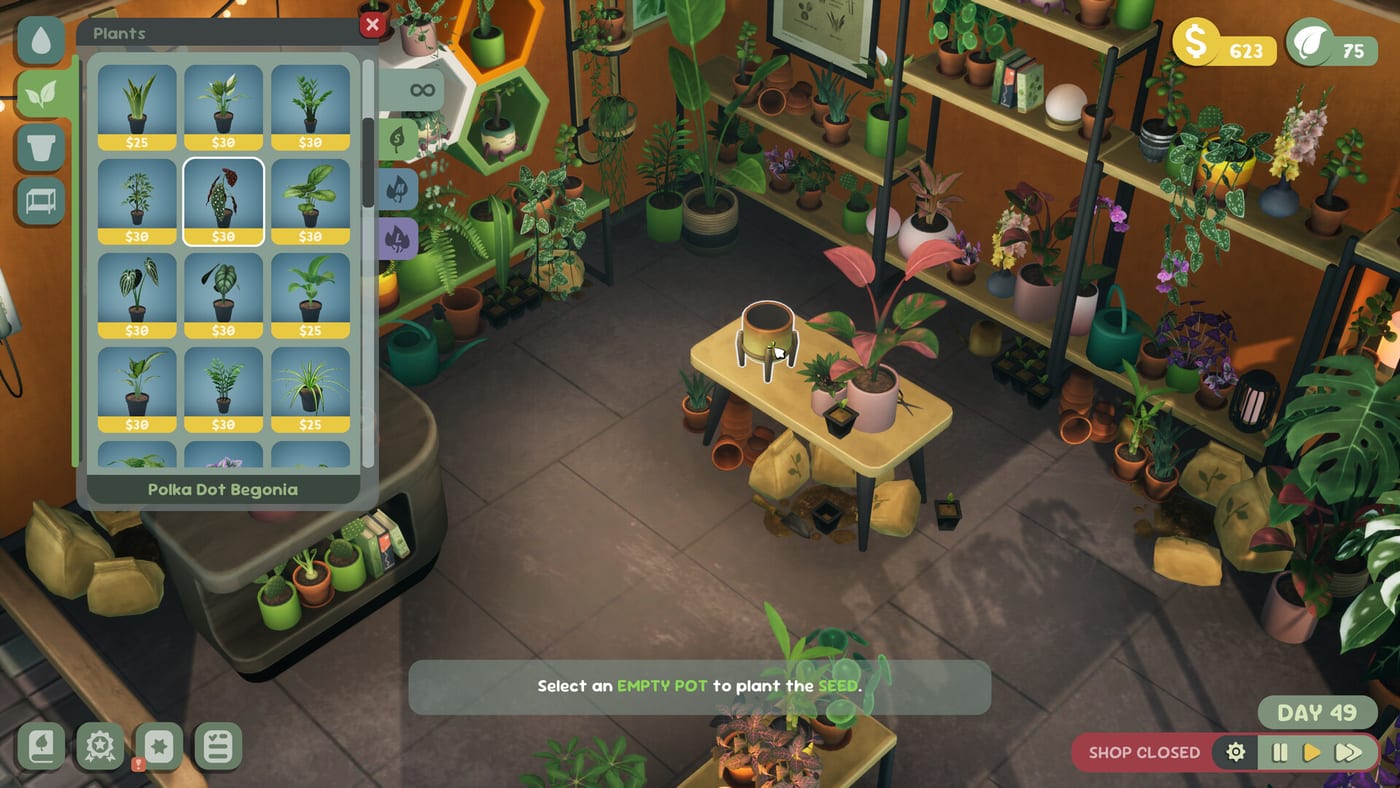
Pause lets perfectionists breathe
Leafy Corner is a cozy plant shop simulation, not a timed arcade challenge—yet customers still wander while you drag shelves. Fireline Games includes a pause function that freezes simulation time so you can rearrange pots, tweak furniture colors, and plan watering routes without whites piling up unnoticed. Preview impressions from demo coverage highlight this feature as a quality-of-life win for players who treat shop layout like a tiny leafy empire.
Use pause when decor enthusiasm outruns daily care discipline. Resume only after your camera path from Controls can reach every pot in one calm pass—see How to Water Plants.
How to pause and resume
Pause access lives in the in-game menu or shortcut shown during the tutorial—exact labels may vary slightly by platform at the July 30, 2026 launch. On PC, open the menu between watering rounds; on Switch, PS5, and Xbox, mirror the same entry via controller prompts documented in Console Guide.
While paused:
- Move and rotate furniture from Pots and Furniture purchases.
- Reposition plants—including repotting into new containers.
- Adjust wall and floor colors where the demo allows swatches near the register.
- Plan customer sightlines for How to Help Customers without losing sales time.
While paused, time-based plant growth does not advance—ideal for big redesigns after Shop Expansion. Patch 1.0.3 (August 2, 2026) fixed a crash when selecting the same plant for more than one customer while paused—assign unique pots per shopper when matching traits, then resume normally.
Patch 1.0.3 pause crash fix — Selecting the same plant for more than one customer while paused could crash the session before August 2, 2026. Update to 1.0.3, then still assign unique pots per shopper when matching traits—calm habit even after the fix. Details: Patch 1.0.3.
Layout principles that save watering time
Zone by water needs — Group thirsty tropicals separately from succulents so one pass does not mix incompatible schedules. Tag mentally using compendium stats from Plant Compendium.
Entrance prestige — Place mature variegations and pet-safe heroes where browsers enter. Reputation rises when the shop looks intentional—see How to Increase Reputation.
Back-row propagation — Seedlings and mid-growth pots can live behind counters until ready for display, freeing front shelves for sales stock.
Deck and handheld spacing — Steam Deck Verified players benefit from wider aisles so thumbsticks do not snag camera rotation mid-water. Read Steam Deck for handheld habits.
Color coordination without stress
Demo footage shows furniture recolor menus when selecting printers, mice decor, and similar pieces. Wall and floor swatches near the cash register let you match pot glazes to shop mood—no external photo mode required. Pause before color experiments so you can compare schemes calmly.
Avoid neon clashes that make white droplet icons harder to read against busy floors—clarity beats Instagram aesthetics for daily watering maintenance.
When not to pause
Skip pause during active customer conversations if prompts time out in your build—finish trait matching first using the Plant Request Matcher cheat sheet. Skip pause when only one pot needs moving; micro-adjustments mid-day work fine if blues are stable.
Do not treat pause as a substitute for Reduced Watering if moisture frequency—not layout—is the real friction. Patch 1.0.3 also strengthened Reduced Watering and eased crowded-shop watering—update before long pause sessions.
Expansion day workflow
When reputation unlocks new floor space:
- Pause immediately after expansion loads.
- Sketch zones on paper or mentally: entrance, propagation, storage.
- Place furniture anchors first—shelves define traffic flow.
- Repot or move plants into zones by water and trait families.
- Walk a dry camera route with GFV rotation from Controls.
- Resume and run first watering pass before unlocking more compendium stock.
This sequence prevents the classic post-expansion rot spike when new corners go unwatered for multiple in-game days.
Platform notes
PC mouse users drag decor precisely; console players should zoom with stick controls before confirming placement. Steam Deck touch and trackpad combos still benefit from pause during fine adjustments. Cross-platform layout rules are identical—only input differs.
Demo vs full catalog
The demo offers limited furniture unlocks—enough to learn pause, not to build a megastore. Full game ownership at $9.99 opens deeper catalog breadth for long layout projects. Launch context: Out Now.
Related pages
- Shop hub — decor unlock pacing
- Character Customization — avatar style separate from shop paint
- Getting Started — tutorial before heavy redesign
- Review — cozy scope expectations
Frequently Asked Questions
Quick answers for Leafy Corner players.
Can you pause time in Leafy Corner?
Yes. The game freezes simulation time for layout work. Patch 1.0.3 fixed a crash when one plant was assigned to multiple customers while paused—use unique pots per shopper.
Does pausing stop plant growth?
While paused, time-based growth does not advance—ideal for large layout changes after expansion.
Should I pause after shop expansion?
Yes. Pause, zone the new floor space, then resume with a planned watering route from [How to Water Plants](/guides/how-to-water-plants/).
Where do layout and watering meet?
Group plants by water needs and keep droplet icons visible from your camera path in [Controls](/controls/).