Leafy Corner Plant Compendium Guide
Browse, buy, and display every houseplant Fireline added to your cozy catalog.
What the compendium actually is
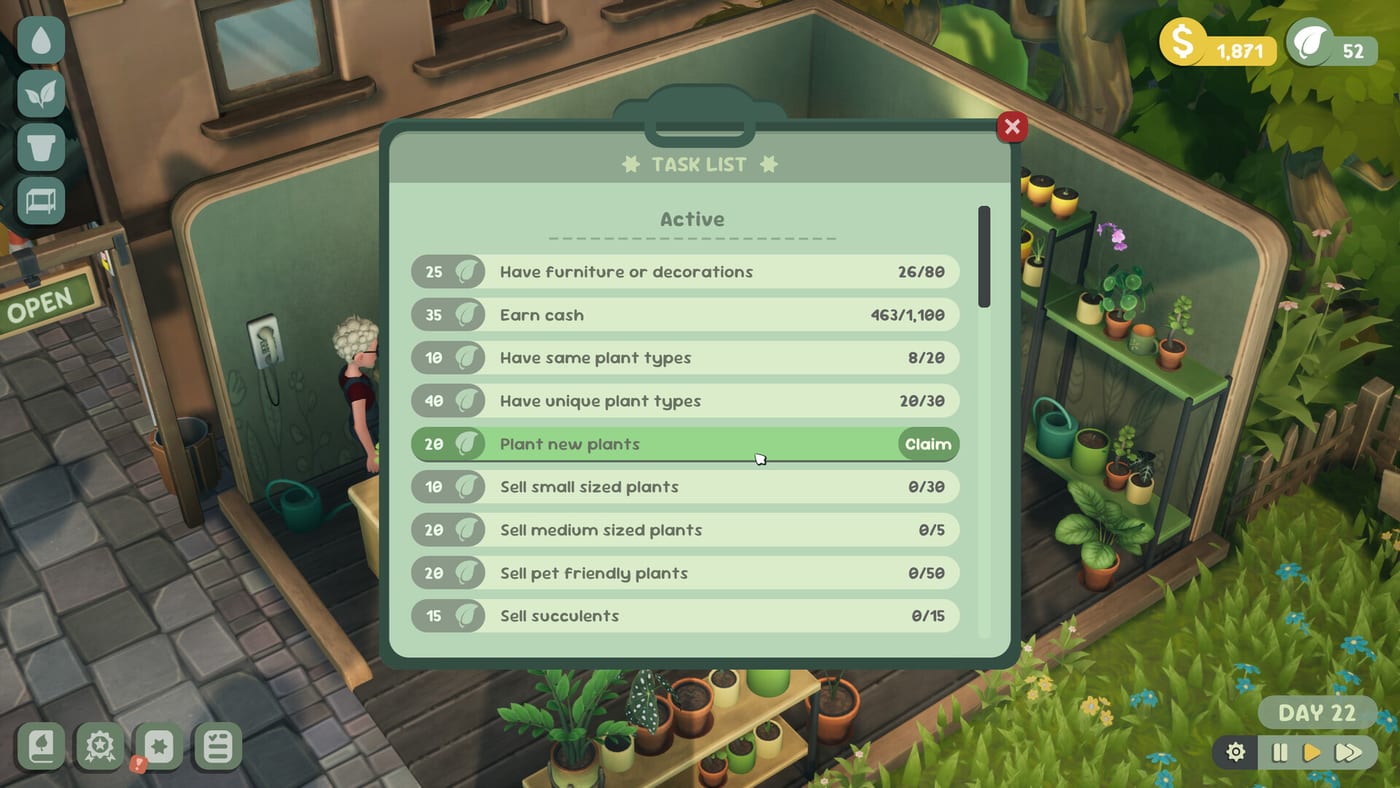
The plant compendium in Leafy Corner is your in-game catalog for every houseplant species, decorative pot, and furniture piece Fireline Games ties to progression. It is not a lore encyclopedia or a wiki overlay—it is the shop menu where you spend Plant Tokens earned from the task list and convert them into stock you can water, sell, and display. Demo players see a trimmed slice (roughly nine species plus decor tabs); launch on July 30, 2026 opens the full 100+ plant roster at $9.99 base across Steam, Switch, PS5, and Xbox.
Treat the compendium as a planning board, not a shopping spree button. Every purchase adds pots to your watering route and changes which traits you can match when helping customers. This guide sits between How to Earn Plant Tokens (income) and How to Unlock Plants (long-term catalog strategy).
Opening and navigating the UI
Access the compendium from the demo HUD after you claim your first task rewards—exact button placement may shift slightly between builds, but the flow stays consistent: open panel, pick a category tab, read the info card, confirm purchase, then place the new pot on the sales floor. Species entries show growth days, watering needs, mature size, pet-safe flags, and token price. Furniture and pot tabs mirror the same layout with different icons so you do not accidentally buy three shelves when you meant to unlock a succulent.
Demo patch 1.0.2 (July 19, 2026) added new floor patterns and Peperomia Rosso color tweaks—cosmetic tabs still live beside plant species. If a listing looks grayed out, check token balance first, then reputation gates described on How to Unlock Plants.
Reading trait panels before you buy
Each plant card is a customer-service cheat sheet. Watering needs tell you how often whites will appear on your route. Mature size matters for apartment requests and shelf planning. Pet-safe flags save you from mismatches when browsers mention cats or dogs—cross-read Pet-Safe Plants for launch priorities. Growth days hint how long you must nurture a pot before selling it for task credit.
Variegated entries may appear after milestone tasks rather than day-one purchases. When a patterned species unlocks, display it near the entrance—shoppers ask about variegations constantly in playtest footage. The compendium does not hide rarity behind loot boxes; Fireline keeps unlocks tied to tokens and reputation.
Spending Plant Tokens without regret
Tokens flow from the task list (How to Earn Plant Tokens). A healthy compendium session follows this loop:
- Claim every finished objective before browsing.
- Identify one trait gap (pet-safe, compact, low-water) using the Plant Request Matcher.
- Buy one species that fills the gap, place it immediately, water to blue.
- Only then browse decor if an active task demands furniture from Pots and Furniture.
Avoid emptying your wallet on duplicate pot colors unless a task explicitly requires them. Demo pacing suggests about a dozen objectives across thirty minutes—token income is steady but not infinite.
Plants vs pots vs furniture tabs
Species tab — Adds living stock. Each purchase increases daily watering workload. Stabilize routes before bulk buying.
Pots tab — Changes presentation and may complete decor tasks. Cosmetic but often refunds its own token cost when timed with objectives.
Furniture tab — Shelves, counters, and layout pieces from Shop. Required for reputation screenshots and customer flow after Shop Expansion.
Mixing tabs without reading active tasks is the fastest way to stall progression: you own cute shelves but lack the pet-safe species future orders need.
Reputation and compendium gates
Some entries stay locked until reputation crosses thresholds. Demo notes place formal customer orders around level 3, which often coincides with new compendium tiers in playtests. If you have tokens but see gray listings, raise reputation via How to Increase Reputation before assuming a bug.
Fireline avoids hardcore grind walls—gates pace cozy discovery. Note the requirement on the card, finish two or three tasks, then return. Hoarding tokens while reputation stalls leaves you rich on paper and poor on the sales floor.
Demo vs full-game compendium
The Steam demo teaches compendium muscle memory without carrying purchases into launch saves. Use the free slice to learn tab order, trait icons, and placement flow. Full ownership adds depth: more species tabs, larger furniture pools, and expansion-linked decor noted on Shop Expansion.
Steam offers a 20% launch discount for two weeks after July 30, 2026—compendium habits you build in demo make that purchase more valuable when the catalog explodes past nine species.
Compendium mistakes to avoid
Buying three random species before reading watering needs—creates white-droplet chaos on How to Water Plants.
Ignoring pet-safe flags—forces bad matches covered in How to Help Customers.
Purchasing furniture while tutorial tasks still teach basics—can trigger nesting bugs fixed in 1.0.2; finish Getting Started first.
Forgetting to place purchased pots—compendium buys sometimes require manual display setup from inventory.
Session checklist
- Open task list, claim rewards.
- Open compendium, filter mentally by trait gap.
- Buy one species, place, water.
- Check reputation panel for new gates.
- Log out via Main Menu so music fades correctly (1.0.2 polish).
Related pages
- How to Earn Plant Tokens — compendium currency
- How to Unlock Plants — long-term catalog plan
- Plants hub — species traits overview
- Shop hub — decor that complements compendium buys
- Demo guide — what the free slice includes
Frequently Asked Questions
Quick answers for Leafy Corner players.
Where do I open the compendium?
From the in-game HUD after early tutorial steps. If buttons moved after a patch, confirm your build on [Demo Patch 1.0.2](/updates/demo-patch-1-0-2/).
Can I sell compendium purchases back?
Leafy Corner focuses on cozy ownership—plan buys with [How to Earn Plant Tokens](/guides/how-to-earn-plant-tokens/) instead of churning stock.
Why is a plant grayed out?
Check Plant Token balance and reputation requirements on [How to Unlock Plants](/guides/how-to-unlock-plants/).
Does the demo compendium match launch?
Demo shows early tabs only. Launch adds 100+ species—see [Release hub](/release/) for scope.